
Beacoland Locations let you save, share, and navigate to places across the server using lodestones, signs, and compasses.
You can register:
- Bases
- Farms
- Events
- Public builds
- Spawn locations
Everything is shared and accessible through a simple menu.
In-game command: /loc
Creating a Location #
Step 1: Place a Lodestone #
Place a lodestone where your location is.
Step 2: Add a Sign #
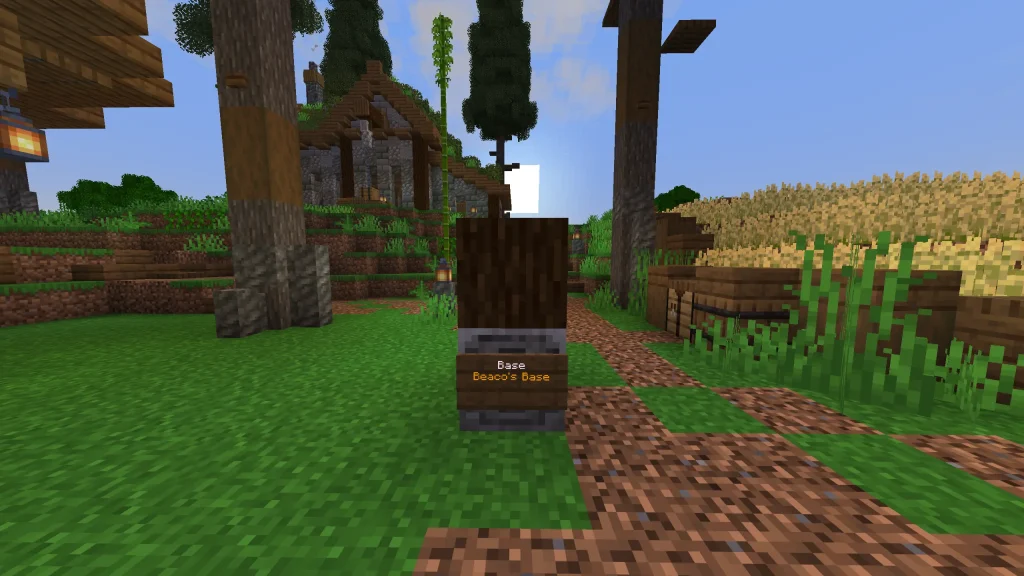
Place a sign on the lodestone using the format:
[BASE]Main BaseNorth Wing
- Line 1 (Tag): Must be one of:
Base,Farm,Event,Public,Spawn
- Lines 2–4: Name
Example result:
BASE – Main Base North Wing
Step 3: Set Your Icons (Important) #
Before waxing, you can customise how your location looks.
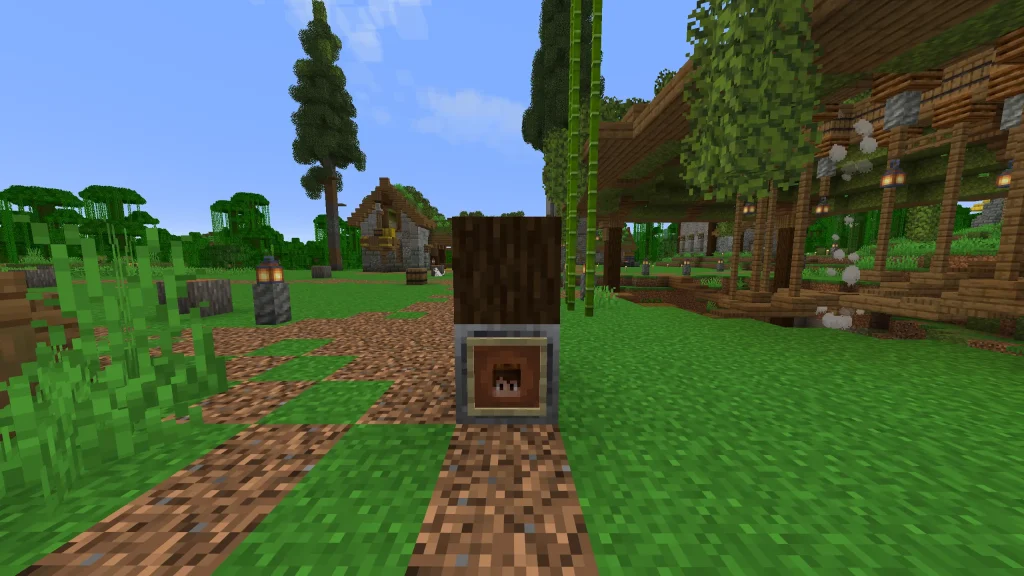
GUI Icon #
Place an item frame on the lodestone with:
- Any item or block
- A player head
- A banner
This becomes the icon in the /loc menu.
Map Icon #
Place a player head within 16 blocks of the lodestone.
This will:
- Show your head on the web map
- Represent your location visually
Both must be done before waxing the sign.
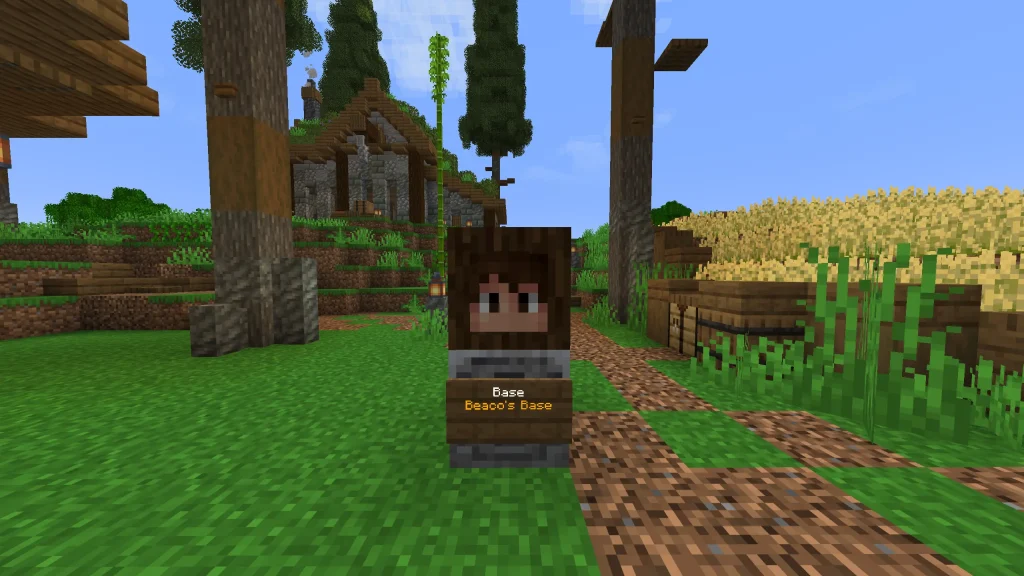
Note: Map icons can take a few minutes to update, or in some instances will update after a restart.
Step 4: Wax the Sign #
Right-click the sign with honeycomb.
- Location is registered
- Icons are saved
- Location becomes visible to all players
Map Behaviour #
Location icons on the web map may not update instantly.
- Changes can take a few minutes to appear
- In some cases, they may only update after a server restart
This is normal and does not mean anything is broken.
Map Layers #
The web map includes two layers related to locations:
- Bases
Shows location icons (player heads, banners, items) - Location Borders
Shows a 200 block radius around each location
These layers can be toggled on or off in the map settings.
Opening the Locations Menu #
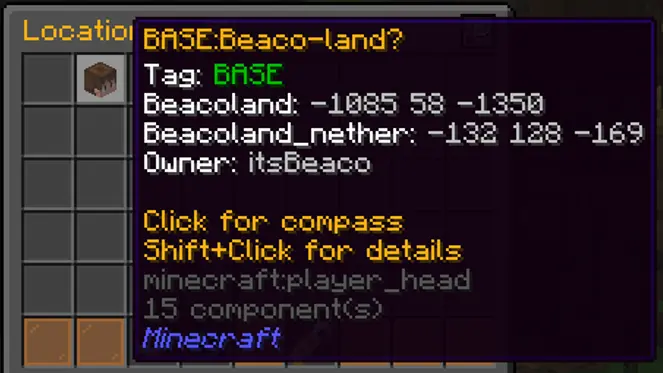
Run /loc
From here you can:
- Browse all locations
- Filter by tags
- Select a location to navigate to
Navigating with a Compass #
Selecting a location gives you a tracking compass.
- Points directly to the location
- Shows live distance in the action bar
- Updates in real-time
The compass disappears when you arrive.
Cross-Dimension Locations #
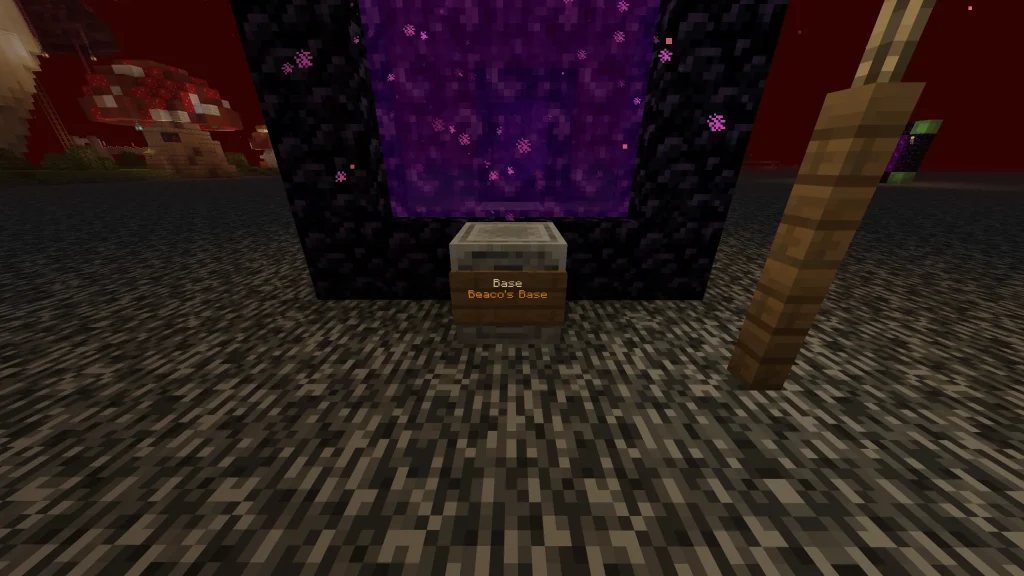
Locations can be linked between the Overworld and Nether.
Do You Need Both Dimensions? #
No — you can create a location in just one dimension and it will work normally.
However, if you want your location to be accessible in both the Overworld and Nether, you will need to set up and link a lodestone in each dimension.
How to Link Them #
To link two lodestones:
- Create your location in the Overworld
- Create another lodestone in the Nether
- Use the exact same tag and name
- Wax both signs
The system will automatically link them together.
Important Rules #
- Tag and name must match exactly
- Same spelling, spacing, and format
Example that works:[BASE]Main Base
Example that does not link:[BASE]Main base
What Happens If You Get It Wrong #
- A separate location will be created
- Your compass will not link correctly
- You may end up with duplicates
Best Practice #
If you are unsure, either:
- Copy the name exactly
- Or intentionally use a different name
Example:
Main BaseMain Base Nether
Important: How Linking Works #
- The first lodestone you create is the main location
- The second lodestone links to it
If you break the first lodestone or sign:
The entire location is deleted
If you break the second lodestone:
Only that dimension is removed
Be careful when editing linked locations.
Editing a Location #
To change anything:
- Break the sign
- Update:
- Text
- Item frame
- Player head
- Wax again
This refreshes the location.
Why this is required:
Waxing locks the location so the server is not constantly checking for changes.
Deleting a Location #
- Break the sign → deletes location
- Break the lodestone → deletes location
Tips & Best Practices #
- Use correct tags:
Base,Farm,Event,Public,Spawn - Always set:
- A GUI icon (item frame)
- A nearby player head
- Keep names short and clear
- Set up both dimensions early if needed
Troubleshooting #
Location not showing?
- Sign not waxed
- Invalid tag used
Icon did not update?
- Break sign → update → wax again
Compass spinning?
- Location does not exist in that dimension
Location disappeared?
- The main lodestone was broken
Quick Summary #
- Lodestone + sign + honeycomb = location
/loc= browse everything- Compass = navigation
- Icons = item frame + player head
- First lodestone = main location


