
Skip to content
BL - Beacoland
  • Wiki
    • Getting Started
      • Minecraft & Discord Integration Guide
      • Survival Server Rules
      • Punishments & Enforcement
      • Vote for Beacoland
      • Recommended Mod Pack
    • Shopping District
      • Shopping District Rules & Guidelines
      • Minimum Prices
    • Guides
      • Minecraft Ore Generation Guide for 1.21
      • Minecraft 1.21 Villager Trading & Enchanted Book Guide (Java / Vanilla)
    • Gameplay Systems
      • Beacoland Ranks
      • Minecraft Server Features
      • Beacoland Quests Guide
      • Performance & Mob Behavior
  • Survival
    • Map
    • Stats
  • Team
  • Posts
    • Beacoland – Minecraft 1.21.11
    • What Makes the Best Survival Minecraft Server?
Play Now
  • Wiki
    • Getting Started
      • Minecraft & Discord Integration Guide
      • Survival Server Rules
      • Punishments & Enforcement
      • Vote for Beacoland
      • Recommended Mod Pack
    • Shopping District
      • Shopping District Rules & Guidelines
      • Minimum Prices
    • Guides
      • Minecraft Ore Generation Guide for 1.21
      • Minecraft 1.21 Villager Trading & Enchanted Book Guide (Java / Vanilla)
    • Gameplay Systems
      • Beacoland Ranks
      • Minecraft Server Features
      • Beacoland Quests Guide
      • Performance & Mob Behavior
  • Survival
    • Map
    • Stats
  • Team
  • Posts
    • Beacoland – Minecraft 1.21.11
    • What Makes the Best Survival Minecraft Server?
Beacoland
  • Support
Play Now
Login
BL - Beacoland

Getting Started

5
  • Punishments & Enforcement
  • Recommended Mod Pack
  • Minecraft & Discord Integration Guide
  • Vote for Beacoland
  • Survival Server Rules

Shopping District

1
  • Minimum Prices

Guides

2
  • Minecraft Ore Generation Guide for 1.21
  • Minecraft 1.21 Villager Trading & Enchanted Book Guide (Java / Vanilla)

Gameplay Systems

4
  • Beacoland Quests Guide
  • Beacoland Performance and Mob Behaviour Guide
  • Beacoland Ranks
  • Minecraft Server Features
View Categories
  • Home
  • Docs
  • Getting Started
  • Minecraft & Discord Integration Guide

Minecraft & Discord Integration Guide

2 min read

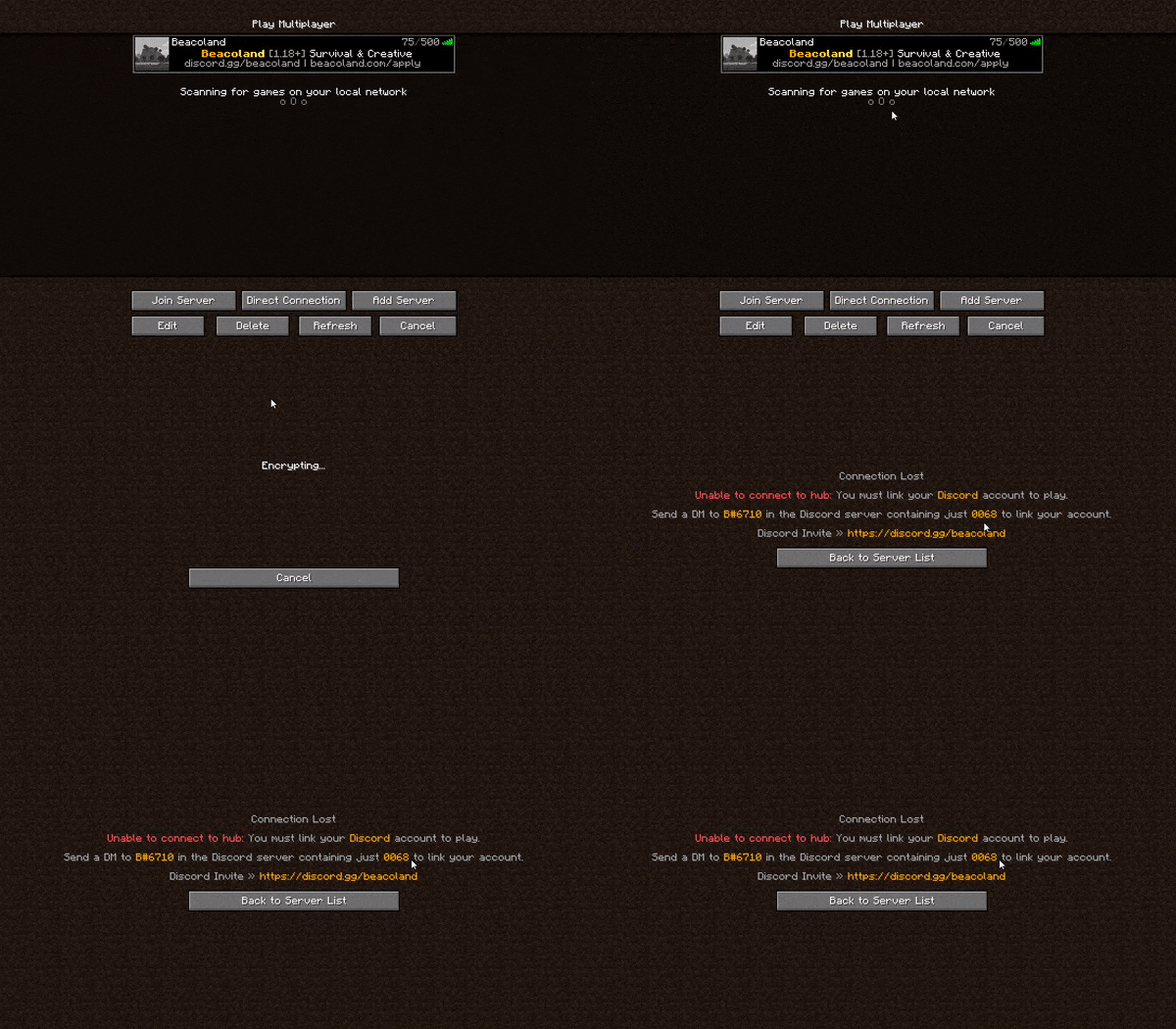
To play on Beacoland, you must link your Minecraft account with Discord. This allows us to verify players, grant access to the server, and unlock community features.

This guide explains how Minecraft Discord integration works on the Beacoland server and how to link your accounts. Before linking accounts, make sure you’ve completed the Beacoland application process.

Follow the steps below to link your accounts.

Step 1: Join the Minecraft Server (Discord Integration) #

Connect to Beacoland using the server IP:

Step 2: Send Your 4-Digit Code on Discord #

When you join, the server will generate a 4-digit linking code for you.

Once you have your code:

  • Open Discord
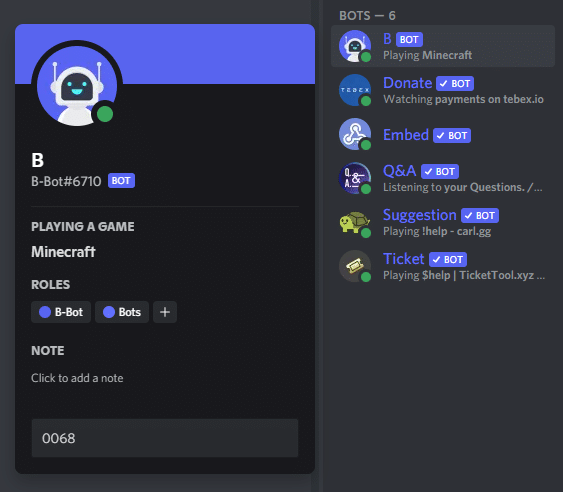
  • Send a direct message to @B-Bot
  • Paste your 4-digit code into the message and send it

This links your Minecraft account to your Discord account.
Step 3: Confirm Your Account Is Linked #

Step 3: Confirm Your Account Is Linked

If successful, B-Bot will reply with a confirmation message similar to:

“Your Discord account has been linked to…”

That’s it! 🎉
You can now join the server and start playing on Beacoland.


Troubleshooting: Can’t Message B-Bot? #

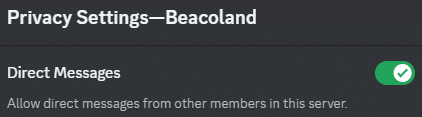
If you’re unable to DM B-Bot, your Discord privacy settings may be blocking messages.

To fix this:

  1. In Discord, click the dropdown arrow next to Beacoland (top-left)
  2. Open Privacy Settings
  3. Enable “Allow direct messages from server members”

Try sending your code again after changing this setting.


Troubleshooting: Invalid or Unknown Code #

If B-Bot replies with:

“I don’t know of such a code, try again”

  • Double-check that the code was entered correctly
  • If needed, reconnect to the Minecraft server to generate a new code

Important Notes #

  • You must apply and be approved before linking accounts
  • You need the Member role on Discord for linking to work
  • Each code is temporary and expires if unused
Updated on 15 January 2026

Was this page helpful?

  • Happy
  • Normal
  • Sad

Share This Article :

  • Facebook
  • X
  • LinkedIn
  • Pinterest
Recommended Mod PackVote for Beacoland
Table of Contents
  • Step 1: Join the Minecraft Server (Discord Integration)
  • Step 2: Send Your 4-Digit Code on Discord
  • Step 3: Confirm Your Account Is Linked
  • Troubleshooting: Can’t Message B-Bot?
  • Troubleshooting: Invalid or Unknown Code
  • Important Notes

Ready to join Beacoland?

If Beacoland sounds like the kind of server you're looking for, the next step is simple. Join our Discord, read the rules, and apply when you're ready.

Join Discord
BEACOLAND

A Hermitcraft-inspired, community-first Minecraft survival server built around trust, community projects, and long-term worlds where your builds matter.

No land claims No pay-to-win Community first

Season 8

  • What to Expect
  • Voting Ranks Update
  • Server Features
  • Server Rules

Play & Progress

  • How to Join
  • Vote & Progress
  • Player Stats
  • Beacoland Stories

Community

  • Join the Discord
  • Shopping District
  • Support Beacoland
  • Contact
© 2026 Beacoland. All rights reserved. Hermitcraft-inspired. Not affiliated with Mojang, Microsoft, or Hermitcraft.